
By Sean Bagshaw
Note: thanks to input from several people who provided information and gave me leads to additional information related to this topic I have added an addendum at the end of this article that updates some of my initial thoughts.
One of the great advances in the recent digital SLRs on the market is their improved noise performance at higher ISO settings. How great is it that with better ISO performance we can shoot faster shutter speeds with minimal increased noise consequences? From my own experience I know that I can shoot at higher ISOs and get cleaner images with my Canon 5D Mark II than I could with my older cameras. However, in the past year or two I began hearing that some higher ISO settings might actually produce less noise than lower ISO settings on the same camera. How could that be possible? It sounded like crazy talk to me. And yet testing that Tony Lorentzen did with his Canon 7D offered some pretty good evidence. His tests clearly show that ISO 160, 320, 640 and 1250 have the lowest noise while ISO 125, 250, 500, and 1000 have far greater noise. ISO 100, 200, 400 and 800 are somewhere in the middle. In fact, he found that at ISO 640 his 7D produced nearly as clean an image as ISO 100 and far cleaner than ISO 125!
After seeing Tony’s tests I was very curious to see if the Canon 5D Mark II behaved in a similar way and decided to conduct my own test. Keep in mind that my testing and measurements are rudimentary and surely contain variables I failed to control. In addition, the physics and electrical engineering principles involved are far beyond my grasp. Still, I think my results are useful for understanding the general picture.
To conduct the test I took a series of RAW 6 second exposures at f/22 with the lens cap on. I started at ISO 100 and then increased the ISO 1/3 of a stop for each successive image all the way to the highest setting of ISO 12,800. In the Develop module of Lightroom, starting with the ISO 100 image as my baseline, I set Exposure to +4, Brightness to +61, Contrast to +32 and Luminosity/Color Noise Reduction to zero. These settings did a good job of enhancing the noise to make it easily visible. Next I selected the entire series of images and synchronized them so all the exposure setting were the same. The images below are screen res jpgs of the results. You can click on any image for a larger view.
This slide show rotates through all the test images for comparison.
On visual inspection it is easy to see that, sure enough, the ISO settings in one stop increments starting at ISO 160 (160,320,640, 1250, etc.) have the least noise and the one stop increments starting at ISO 125 (125, 250, 500, 1000, etc.) have the most noise with the multiples of ISO 100 being somewhere in between.
Beyond qualitative visual inspection I also realized a simplistic way of making quantitative comparisons of the noise levels. By saving the images as jpg files it is possible to compare the resulting image file sizes. The jpg algorithm compresses image data to create smaller image files. The way the jpg algorithm compresses images is based on how much image detail there is. Images with large areas of smooth color, such as sky, water and snow, can be compressed more than images with a lot of detail, such as a forest scene. Low detail images make for smaller final jpg files. In the test images less noise is similar less detail. This allows for greater jpg compression and smaller file size. By comparing jpg file size among the test images you can pinpoint which images have more noise than others. The cleanest image has the smallest file size and the noisiest image has the largest file size.
Using jpg file size to rank noise levels the ISO settings can be arranged from best to worst as follows:
160, 320, 100, 200, 640, 400, 125, 250, 800, 500, 1250, 1000, 1600, 2000, 2500, 3200, 4000, 5000, 6400, 12800
The differences among ISO 100, 160, 200, 320 and 640 are fairly minimal so all these settings should produce low noise images as far as the eye can tell. However, if shutter speed is of critical importance it is great to know that I can shoot at ISO 320, almost two stops faster than ISO 100, and actually get better image quality than ISO 100. ISO 640 is only marginally more noisy than either ISO 100 or 200 and significantly better than ISO 125. In fact, the test shows that ISO multiples of 125 should really just be avoided all together.
At the higher end of the ISO spectrum noise begins increasing more as you would expect. While ISO 1250 is still better than 1000 and almost as good as 800, at ISO 1600 and higher the multiples of 160 don’t offer much of an advantage. Noise at ISOs above 1600 becomes essentially unusable for most of my photography.
So far I have focused solely on the results of the test and not the reasons. For many of us the knowledge of which ISO settings produce the cleanest images is the critical bit and the reasons why are just boring details. I, however, was curious to know why ISO 640 could be nearly as good as ISO 100 and ISO 320 actually better. It seems to defy logic.
It turns out that Canon keeps a closed lid on all the specs and details of how their sensors and firmware actually work. This makes sense in today’s cutthroat consumer electronics market. It also means that the best anyone can do is conduct their own tests and speculate. In my snooping around the web I came across two schools of thought which are at odds with each other.
The first line of speculation says that not all digital cameras have the same native ISO, the ISO setting at which the sensor and circuitry are designed to operate the best. This could mean that the Canon 7D and 5D Mark II have a native ISO of 160 which is why ISO 160 has the least noise and the multiples of ISO 160 are all better than their neighboring ISO settings. Why bother even offering ISO 100 then? Why not just start at 160? Probably so that there is an ISO sequence that matches traditional film ISO standards.
The second line of speculation that I came across says that ISO 100 actually is the native ISO of Canon cameras. Proponents of this theory claim that appearance of less noise at some higher ISOs is the result of highlight clipping while the appearance of more noise at other higher ISOs is the result of signal gain. This is a little harder to explain, but here is the gist of it. Assume ISO 100 is the native ISO. The sensor signal is amplified uniformly to achieve ISO 200 with a slight increase in noise. To get ISO 160 the ISO 200 signal is used with the highlight information underexposed, resulting in less bright noise but also less dynamic range. To get ISO 125 the gain in the ISO 100 image is boosted resulting in an image with significantly more noise.
Either way you look at it, if noise is your main concern then multiples of ISO 160 are best and multiples of 125 are worst. However, if speculative scenario #2 is correct, a decrease in noise using ISO multiples of 160 may come at the cost of decreased dynamic range. I’d love to know if someone has reached a well documented conclusion to this question. Regardless, I now avoid using ISO multiples of 125 and I am always pleased with how low noise my images are.
Addendum
As I was hoping, several people chimed in to share their knowledge on this topic as well as to provide links to additional resources and discussion on the web, so thanks for that. Some of the discussion out there gets pretty technical with careful measurements of signal to noise ratios and discussions of shot noise compared to read noise. I’ll attempt to summarize what I found in basic terms and draw some further conclusions as to which ISO settings to utilize and when.
It turns out there isn’t any voodoo ISO magic happening at multiples of ISO 160 in Canon cameras. The most important factor in low noise images still comes from capturing the most photons of light. This is achieved by exposing the sensor to light for the longest time possible without overexposing highlights (exposing to the right). Lower ISOs and exposing toward the right on the histogram enable capturing the most photons (signal) with the least noise. The higher the signal to noise ratio (S/N) the better.
The noise seen in my test images above (and in all the other similar tests I have seen on the web) is what is called pattern or read noise. Pattern noise is the noise that occurs during the creation and processing of the RAW file and is independent of the incoming signal (photons). Taking a photo with the lens cap on captures zero signal (photons) so all we see is the pattern noise. Without looking at how signal and noise measure up to each other we don’t have a reference for final image quality. We want low pattern noise, but not at the expense of less signal (fewer photons).
After digging a little deeper it seems that most agree that native ISO on Canon cameras is ISO 100 and not ISO 160 as some claim. All ISO settings other than 100, 200, 400, etc. are derived from these analogue ones by digital manipulation. This information corresponds with scenario #2 I outlined above. According to ejmartin on the Luminous Landscape Forum, “the 5D Mark II obtains ISO 160 by taking an image at ISO 200 and multiplying all the digitized values by 0.8. You could do the same by exposing ISO 200 to the right and dialing in -1/3 stop of exposure compensation in the raw converter.” It follows then that the best signal to noise ratio you can get comes from exposing to the right at ISO 100.
In a separate thread on the Luminous Landscape forum ejmartin makes a clear cost/benefit analysis of higher ISO settings. He says, “There is less (pattern) noise at 160 than there is at 100 for the 5D2. This is because the amplifier/ADC noise is about the same at ISO 200 as it is at ISO 100, and ISO 160 is obtained from ISO 200 by multiplying all the output values by 0.8 so the (pattern) noise in raw levels will be about 20% less at 160 relative to 100. However, the photon count that saturates the raw data is 60% less at 160 than at 100. So, 20% less (pattern) noise at the cost of 60% less photon capacity. If you have 60% less photons [due to lower light], then it makes sense to use 160 instead of 100. If your shooting conditions allow the (longer) exposure, better to use 100 — the benefit of more photons outweighs the disadvantage of higher (pattern) noise. Again, the goal is the highest S/N ratio in actual photographs, not the lowest noise with no signal (unless your interest is photographing the inside of your lens cap as an end in itself).”
And what about loss of dynamic range at higher ISO settings? It seems this can be an issue, but is different from camera to camera. The 5D Mark II doesn’t experience a significant loss of dynamic range until beyond ISO 800. Other cameras may experience a significant drop in DR performance sooner so it would be worth checking your camera’s stats on the DxO Labs site.
So, here’s what I take away from all this:
- More photons trumps less pattern noise, so use lower ISOs when possible and expose to the right to get longer exposure times and capture more photons (signal). If you are exposing to the right (without clipping highlights) then 100, 200, 400, 800 are your best bet. Shooting ISO 160 just means that the camera is shooting automatically exposing ISO 200 to the right and dialing back the exposure 20% in the RAW file.
- For those of us who have been conditioned to shoot ISO 100 at all costs, you can shoot at ISO 160, 200, 320, 400, and 640 when you need the extra shutter speed and still maintain a good signal to noise ratio, at least with the 5D Mark II. Increased pattern noise at 125, 250 and 500 caused by manipulation of the RAW data is problematic because it lowers the S/N ratio.
- There is some loss of dynamic range at higher ISOs but on the 5D Mark II it is minimal until you go higher than ISO 800. Still, ISO 100 will give you the most dynamic range.
Luis Argerich offered a very helpful ISO acronym: If you want minimal noise the recipe is simple: ETTR & ITTR . First ETTR (expose to the right). Go for as long an exposure at the lowest ISO you can without clipping highlights. Collecting more photons defeats noise. If the shot requires a faster shutter speed then move the ISO to the right (ITTR) keeping your histogram values as far right as possible.
I hope this has been helpful. I certainly learned a lot. If you have any additional knowledge or links to articles on this subject that you would like to share please add them to the comments below.
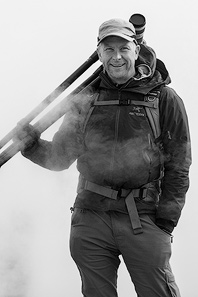
Sean is an outdoor photographer, digital image developing enthusiast and photography educator based in Ashland, Oregon, where he resides with his wife and two sons. His previous career as a science teacher makes photography education a good fit. Sean teams up with fellow Photo Cascadia members leading workshops. He also teaches digital image developing classes, lectures and offers a series of Photoshop video tutorials.
More posts by Sean Visit Sean’s Image Gallery Visit Sean’s Website
Recent Comments