Photoshop Multiple Exposure Blending Video

February 13th, 2012

by Zack Schnepf

Last week I finally released my long awaited Multiple Exposure Blending and Tonality Control Video. I wanted to make a post to help explain what this video is all about.  The idea for this video came from teaching Photoshop workshops.  The topic that gets requested most often is multiple exposure blending.  Like me, most of my students are not satisfied with the results they get from HDR software.  Images get over tone mapped, and lose their natural tonality range due to the automated nature of the software.  The techniques I developed are designed to take control of the tonality of your images, so the final image looks like the way you envision it.

Over the course of 3 hours and 40 minutes I guide the viewer through my advanced multiple exposure workflow in detail.  I illustrate the powerful tools and techniques I use to control tonality throughout the entire workflow.  This workflow is the result of my 12+ years teaching Photoshop.  These techniques are quite advanced, and can be a challenge, but they produce incredible results that are not possible with HDR software.

The techniques I cover include:

  1. Luminosity masks and selections
  2. Refined Selections
  3. Advanced selection building
  4. Image repair and cloning
  5. Advanced burning
  6. Freehand masking
  7. And more

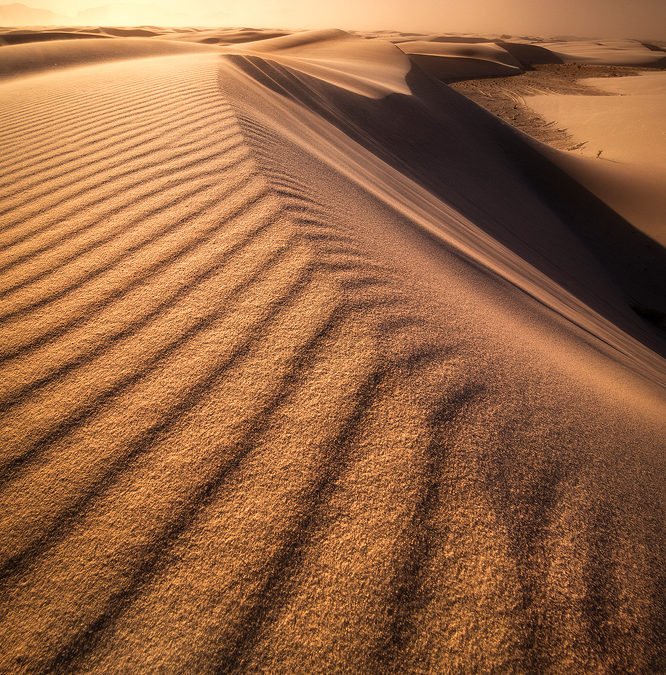
I’ve also included the 4 raw files I use for the project.  These files are for practice only of course.  This allows a student to follow along on his or her own and practice with the exact same files I’m demonstrating with.  This has been very helpful in my Photoshop workshops.  You can see the final image below.

This video is #2 in a series, but is the first to be released due to demand.  The beginning Photoshop video, and an additional advanced video on compositing and other advanced tips and tricks will be released later this year.

As such, this video is not intended for Photoshop beginners.  Students need to be familiar with the basic tools in Photoshop, as well as masks, adjustment layers, and basic selections.  All of the processing is done within Photoshop and Adobe Camera Raw.  My workflow is based in CS5, but almost all of the techniques are compatible with previous versions of Photoshop.  This is not compatible with Photoshop Elements.

For more information visit my site www.zschnepf.com

Check this out, 3.5 hours in 1.5 minutes.  Time-lapse of my video.


Enchanted Sky Fire (video announcement)

Avoid Those Photography Ruts – By David Cobb

February 2nd, 2012

During the year, I shoot a lot—between workshops, for projects and assignments, and of course, just for fun. With all that photography, I’m bound to get into a rut from time-to-time, and when I do I use these helpful techniques.

Play: This is what I got into photography for in the first place – to have fun! I can’t let myself forget that either, so every once in a while I do something new or inventive to put the fun back into photography. With the image below I spent a rainy day in January photographing a flower through glass and water droplets. I spent hours bent over my camera photographing and having fun (not to mention putting a crimp in my back), but this simple project helped pass the time and re-energize my creativity just by giving myself a simple assignment. Switch it up – if you’re a landscape photographer then photograph people, wildlife, or even food for a while. The change may prove helpful and even fruitful.

Study: I spend a fair amount of time going to art museums, reading books and blogs, and looking at photography from online postings, class portfolios, and major photo exhibitions. All of this helps influence and inspire my photography. In late 2010 to early 2011 I read and studied three books on Chinese art to help influence, change, and stimulate my compositional way of thinking. That time was well spent and helped influence the images below.


Concentrate on business: If you make a living at photography full-time or part-time, then sometimes it works to put your camera down for a while and concentrate on the business side of things. I often take the months of January and February to help organize the upcoming workshops, send images out to vendors, catch up on processing, catch up on key wording, organize my finances for taxes, apply for permits, and generally plan for the future.  And sometimes I just need to stop and think. Making time for the business side of photography helps me in the long-run by making time later for my creative side.

Photograph closer to home: In 2011, I photographed across 35 states and 3 Canadian provinces in 6 months, so the last thing I wanted to do was get on another airplane and head to a photo destination. I plan on staying put for a while to photograph closer to home. It’s fun to get reacquainted with your local surroundings and find new angles, discover new photo locations, and take the time to see the old locales in a new way photographically. The image below was taken a few days ago, not long after a fresh snowfall.

Travel: If you spend too much time at home, the opposite may be true. Sometimes it pays to just go somewhere else and see new locations. I know for me, a new place brings with it a fresh perspective and allows me to break away from the rut of my usual haunts.

These tips might not keep you totally away from one of those photography ruts, but by following  a few of these suggestions you might avoid one for a long-long time.


Set The Right Contrast and Color Balance With A Single Adjustment – By Sean Bagshaw

January 27th, 2012

Setting the right contrast and color balance in an image is an essential part of any digital image developing workflow. The correct contrast and color balance should be established as early in your developing workflow as possible. Contrast and color problems that are left unmitigated will become compounded as successive adjustments are made to an image, making them much harder to correct later in the workflow.

This image has had many adjustments made to it for color, tonal balance, contrast and luminosity. Before applying such targeted creative adjustments it was important to first establish the right global contrast and color balance for the image so that problems with contrast and color wouldn't be compounded.

In my workflow classes and video tutorials I show how to start by setting a foundation for contrast and color balance while making preliminary raw adjustments in Lightroom or Adobe Camera Raw. Then I fine tune my global contrast and color balance as one of the initial steps in Photoshop. When making raw adjustments I don’t try to perfect contrast and color balance in Lightroom or Camera Raw. Rather, I get them close and then fine tune them in Photoshop where there are many more tools at my disposal and I can be much more precise. When setting my contrast in Lightroom or Adobe Camera Raw I prefer not to set complete black and white points. Instead I opt to leave some “wiggle” room on either end of the histogram. This leaves some latitude for applying more targeted adjustments later in Photoshop, as you will see.

Leave some space on the ends of the histogram for fine tuning in Photoshop.

Proper contrast in most images is obtained by setting a luminosity black point (a small portion of the image that is completely black) and sometimes a luminosity white point (a small portion of the image that is completely white). Images without a black point and a white point can appear muddy, hazy and flat.

Some images are low contrast by nature, such as images taken in the fog. If your artistic intent is to retain low contrast in an image then setting a black and white point is probably not the right choice.

Some images, such as on a foggy day, are naturally low contrast. Setting black and white points will create too much contrast and reduce the naturally foggy appearance.

Proper color balance is obtained when shadow, midtone and highlight color casts or color shifts have been corrected and objects that are neutral gray appear neutral gray in the image. In images intended to have “white light” or “daylight” colors it is usually appropriate to set the correct color balance in the shadows, midtones and highlights.

There are many ways to work with contrast and color in Photoshop. The Brightness/Contrast and Color Balance Adjustments are tools specifically designed for working with contrast and color respectively. It is also possible to make similar adjustments in slightly different ways using combinations of the Levels, Curves, Hue/Saturation and Selective Color Adjustment tools. Photoshop even includes Auto Contrast and Auto Color adjustments, but I find that these rarely get it right and must be done on the background layer or a copy of the background layer. I would recommend sticking with adjustments you can make using separate Adjustment Layers so that your adjustments are non-destructive.

Most of the techniques for correcting contrast and color balance involve working with each component separately. While these methods can be very accurate and flexible they are often time consuming and require knowledge of color theory, a degree of skill and a good eye. The approach that I use most often, one I call the “global contrast/color correction technique”, is quick, requires very little knowledge of color theory and adjusts for both contrast and color balance at the same time.

Start by opening a raw image file in Photoshop. After you have done spot clean up, cloning and any perspective adjustments that are needed, create a Levels Adjustment Layer (Layer>New Adjustment Layer>Levels). In the Levels dialog select the Red Channel from the drop down menu. Now slide the Shadow slider and the Highlight slider so that they just touch their respective edges of the histogram. You have now set a black point and a white point for the Red Channel.

Move the black and white sliders to the edges of the histogram in the Red Channel.

Now select the Green Channel from the Channel Menu and repeat the process.

Repeat in the Green Channel.

Finally, select the Blue Channel and do the same one more time. Return to the RGB Channel and fine tune your midtone slider as needed for image brightness.

And finally move the black and white sliders to the edges of the histogram in the Blue Channel.

Toggle the Levels Adjustment Layer on and off by clicking the Eye icon to see the results of your adjustment. If your image had poor contrast or a color cast you should now see a marked improvement in both contrast and color balance (see examples below). By setting a dark and light point for each color channel you have essentially killed two birds with one stone. You have set an overall black and white point so that the image has proper contrast and you have also neutralized shadow and highlight color casts at the same time.  If you feel that you still have an unwanted color cast in your midtones after setting the blacks and whites you can go back into each color channel and adjust the midtone sliders to further fine tune the color. You can see that if I had not left some shadow and highlight room on either end of the histogram in your raw conversion that this technique would not have worked.


Certain light creates a pleasing color cast that you may not want to neutralize. Warm, sunset or sunrise light is an obvious example. By neutralizing a warm sunrise color cast you will make the light look like mid day light while making the shadows in the image look too blue. If you have an image in which you do not want to neutralize a highlight color cast you can set the shadow contrast and color by moving the sliders on left side of the histogram in each color channel and then selectively tune the white and midtone sliders of each color channel until you get the desired color cast.

Warm sunrise light after raw conversion but before contrast/color adjustment.

Complete contrast/color adjustment using the Levels Color Channel technique results in loss of warm sunrise light and the shadows and sky become too blue.

Adjust the white and midtone sliders in each of the Red, Green and Blue Channels to achieve the desired color cast in the highlights and midtones.

Now the image has better contrast and color balance but retains the wanted warm sunrise glow. It is now ready to have additional adjustments made to reach it's finished state.Without a definitive white point the correct color balance becomes a somewhat subjective choice.

There is also a more precise version of this technique that can be done by using a Threshold Adjustment Layer to set markers at the exact black and white points in an image and then balancing the colors close to 0 and 255 at each of those two points using a curves layer, but most often I find the Levels method demonstrated here works well enough.

Not having the correct contrast or color balance in an image can really detract from the impact you intended it to have. To ensure that your images are not flat or dull and that they do not have distracting color casts or contamination, make sure to establish the right contrast and color balance early in your workflow before it becomes compounded by further developing adjustments.

To learn more about my fine art digital image developing workflow you can check out my video tutorial series.

Value Yourself as an Artist by Chip Phillips

January 15th, 2012

Now and then I get questions from budding photographers:  This company/organization/publication/website wants to use my images for free.  Should I say yes or no?

Usually I caution others to give away images for free.  When we give away our images for free, we are diminishing our value as artists.  As photographers, we have worked countless hours perfecting our skill and invested countless dollars into our equipment, our travel, and our learning.  Even if one is just starting out, the hard work and skill involved is significant, and it’s important to be fairly compensated.

If someone is inquiring about an image of yours out of the blue, something about that image caught their eye.  It stuck out from the crowd, jumped out at them.  To me, this means the image is pretty good.  And, most likely worth something.  If it is a non-profit organization I’ll often give a pretty low-ball price.  If it is corporate or editorial, then the image will be helping the company make a profit and payment to you as a photographer should be included in the budget.  First thing I will do is ask some specific questions, such as size, use, print run, exclusive/non-exclusive use,  term, etc.  I’ll often check here: http://photographersindex.com/stockprice.htm and I’ll check with Getty or any of the other main, non-micro stock companies for pricing for similar use.  Once I have done my research, I’ll get back to the company with an offer.  If it is for use on a blog or something similar, I usually say yes as long as I am appropriately credited.

Not only is it important to you, the individual, to be compensated fairly, but it’s important to all photographers.  If we make a habit of giving away our work for less than it’s worth, it will, in effect, contribute to driving prices down and to all photographers being valued less.  It’s important to realize that this doesn’t make you greedy.  I do my art because I love it, but I also need to make a living.  Getting paid for our art doesn’t make us any less of a pure artist.  I don’t feel like I’m being greedy when I sit down to play a symphony concert, just because I’m getting paid for it.  If I wasn’t getting compensated for my art, I wouldn’t be able to do it to the extent that I do.  By compensating me fairly, my clients are allowing me to continue to grow and improve as an artist. Here’s another blog that explores this subject further:  http://photoprofessionals.wordpress.com/


Here’s a picture of me in a waterfall:


2011 Year In Photography – Photo Cascadia Team

December 26th, 2011

By Adrian Klein

Here are we about to exit another year in life and usher in a new one. Always a time to reflect on where we have been and where we want to go. We want to take this time to thank the many viewers and readers of our blog. When we embarked on the Photo Cascadia path a significant part of the goal was to follow our slogan “Learn, Explore, Create”… helping others learn more about photography, explore areas for your next adventure and discover what it takes to create photos that fit your vision. Based on what we have heard in the hundreds of emails over the last couple years we seem to be doing just that. We enjoy the discussions and dialogue so keep it coming.

Without further rambling here is a quick blurb from each of the PC team members about their year in photography and anything else they felt like sharing. Plus a three minute slideshow with image favorites of 2011. Along with this post comes a two to three week winter break before we start bringing you new blog content in 2012. Thank you again!

****************

Zack Schnepf

It’s been a fantastic and busy year for me.  I was able to get out and capture some fantastic images across the country.  I was lucky enough to lead some great workshops this year.  I was also privileged to get together with my fellow Photocascadia members and got to take a photo trip to the Desert Southwest with Sean Bagshaw.  I’m now in the editing stage of my Multiple Exposure, and Tonality Control Photoshop video and hope to be done very soon.  I’m also still teaching lots of online Photoshop Workshops, they’ve been a fantastic success this year.  And to cap it all off, I’m expecting my second child, a baby boy due in March.

Life is good, and I feel my photography continues to grow.  I hope to get out even more next year and continue my series of Photoshop video tutorials.  Hope to see you all out in the field and online.

Kevin McNeal

Well as 2011 rounds out and again I find myself asking where time went. So many journeys and things discovered in the past year with both challenges and rewards. This past year I have been lucky enough to travel to the Canadian Rockies, Colorado Rockies, Southwest, Southwestern BC, Oregon, and California. But my favorite part was I finally got to see Iceland after all these years of lusting to get there anyway I could. It did not disappoint, I also got to spend some good times with photography friends as well as well as my Photo Cascadia Group. It has been busy but another great year of photography. I have been so blessed to live out my passion and that I will always be grateful for.

Chip Phillps

2011 was all about experiencing new things for me. I winter camped at Mount Rainier for the first time, I explored the Broken Top area in Oregon’s Cascades, I backpacked to Spray Park for the first time, and my wife and I took an epic 3 week trip to explore the Southwest of England.  I was also able to visit Glacier National Park during fall color and snow,  and explore new remote regions of the Oregon Coast.  I taught many successful workshops and made many new friends.  I’m excited about my new collaboration with Amana Images in Tokyo, Japan.  I bought a new large format printer, which is really inspiring my creativity as far as printing goes.  I’ve been experimenting with putting prints on stretched canvas, and having images printed on sheets of metal for a really dynamic effect.  All this plus another exciting year playing principal clarinet with the Spokane Symphony.

David Cobb

The year 2011 was a busy year of shooting for me. I got into the backcountry a bit, but most of the year was spent photographing Japanese gardens across North America for an upcoming book. I’ve included two of those garden images here. I hope you enjoy what I’ve picked as my favorites for the year, and I look forward to what lies in store for 2012.

Sean Bagshaw

Looking back each December on the year gone by is always fun. I’m a sucker for year end reviews: best photos, movies, books, songs, you name it. 2011 has been a year with some great events, memories and milestones for me personally; perhaps right up there with some of the top years in my life. I could write several different year end reviews for 2011. These are some memorable times I had photographing the landscape this year.

February: I spent a couple days skiing and camping in the frigid high desert environs of Hart Mountain with one of my oldest friends, Chuck (RokChuk) Porter.

March: I aborted a trip to Yosemite due to storms and instead had a great time photographing in Death Valley with Big Wave Larry Carpenter.

April: A canceled flight saw me stranded in SoCal for a few days, so Big Wave Larry and I headed to Joshua Tree and marveled at the daily morning light show in the cholla garden.

May: David Cobb and I had a tick nightmare while exploring the canyons of Oregon’s Owyhee country.

June: Between back to back workshops with Christian Heeb and David Cobb in Bend, Oregon, I made a cannonball run down to the California redwoods and back. Thanks to a tip from Big Wave Larry, it was best rhododendron bloom I’ve seen there.

September: Solo trip to the Tetons. The valley was full of smoke and hundreds of other photographers, but a 10 mile hike into the back country put me in clear air and beyond the crowds. I gave myself my semi annual dose of the willies by hiking in the dark in bear country. No bears spotted however.

October: Zack Schnepf and I had a surreal four days camping, cracking wise, photographing and breaking wind at White Pocket. When Zack headed home I met up with the sandstone Jedi, Tony Kuyper, and the desert adventure continued.

November: David Cobb and I taught a photography workshop on the Oregon coast. The photography and classroom sessions were great, but the best memory was having dinner at the Rogue Brewery and using iPhone camera tricks to make David appear four times in our “Last Supper” photo.

December: Kevin McNeal kept all of us bent over laughing at the annual Photo Cascadia gathering in Bandon, while clouds kept us from seeing the lunar eclipse.

All in all, some amazing times with the best people in the world. The photos I took are just the icing. Here’s looking to 2012!

Adrian Klein

2011 is yet another year in life that I had the health and ability to be in the outdoors which I am always thankful for, and oh yeah and I took a few photos while I was out. This year I stayed in the Northwest for most outdoor excursions which to be honest can fulfill me for years to come, it seems there are always new places to explore here despite being a home grown Oregonian. I explored more of SE Oregon including the peaceful Lake Abert. I made it back to Opal Creek Wilderness which was long over due. I did some new hikes from the coast to Mount Hood National Forest.

In the mix of all that was more successful group and private workshops as time allowed. I always enjoy seeing others learn and grow with their photography, something I try to do personally as well. I surely cannot forget taking my 5 year old daughter on her first backpack trip (As long as I can find pink outdoor gear I can likely get her to keep going). As the year started to wind down I was fortunate to spend a couple weeks in Kauai with my family, and yes more photography. Shortly after coming home from that trip was a few days in December with fellow Photo Cascadia members (it’s nice to see each other face-to-face after the hundreds of emails and phone calls throughout the year). I am fortunate to have a fine family and super friends. I hope you have the same and were able to enjoy the great outdoors with or without photography in 2011.


HOW MUCH PHOTOSHOP IS ACCEPTABLE IN LANDSCAPE PHOTOGRAPHY? by Zack Schnepf

December 19th, 2011

I think many people fall into a trap when talking about this subject.  They assume there is a right way to process photos.  There is also a general lack of understanding about how digital photography has completely changed the way we process photos.  Photoshop and other photo applications are the digital darkroom.


This debate boils down to the philosophy and intent of the photographer.  For a documentary photographer, except for maybe sharpening and minor tonality tweaks, processing tends to take away from the veracity of an image.  When I see images from the tsunami in Japan, I don’t want to see an image that has been altered or manipulated, I want to see an accurate documentary image.  I am not a documentary photographer, but I appreciate those who are.  I consider myself an artistic photographer.  My goal in landscape photography is well expressed in a quote by Ansel Adams. “A great photograph is one that fully expresses what one feels, in the deepest sense, about what is being photographed.”  This is what I strive for and post processing is an integral part of my artistic expression.


This debate is not new.  Ansel Adams was criticized in his own day for too much processing in the darkroom.  Ansel was famous for saying “The negative is the equivalent of the composer’s score, and the print the performance”.  He spent endless hours in the darkroom bringing out the full potential of an image, and many of his prints are barely recognizable to the negatives they came from.  I think of processing in these same terms.  The raw file, or files are my canvas and the print is the finished artistic expression.  A lot of people understand this concept, but I run into a lot of people who have a set idea of what photography should be and think if you do things differently, you’re doing it wrong.  To me, there is no such thing as doing it wrong, there are lots of ways to process photos, and none are wrong.  They may not be right for me, or my intent, but they may be right for someone else.


I run into a plethora of opinions while showing images at art festivals and gallery shows.  I do my best to educate the public while I’m out there, but I rarely have time for a good explanation of how I process and why.  When I get the inevitable question, “Are these real, have they been photoshopped?” I have to resort to one-liners, and over simplifications to explain how digital photography has changed.  I use Ansel Adams as an example because so many people are familiar with his work.  Many people I meet believe that film photographers like Ansel captured the image on film and that’s it.  They don’t understand all the effort and skill that went into processing a photo in the darkroom for print.  Another thing that clouds the issue is how much Photoshop is capable of.  Many people associate Photoshop with terrible compositing, where someone has cut their own head out and placed it on a picture of some really buff guy.  When I get that question, I don’t get offended.  To me, it just illustrates the misconceptions so many people have about photo processing, especially Photoshop.


I’m also aware that if I divulge too much information, it will turn some people off.  As soon as they hear that it’s been run through Photoshop and accentuated even a little, that’s it, it’s no longer a valid photograph and they move on.  I do a lot of multiple exposure blending in my processing, and I try to explain that this is actually much more accurate considering how much dynamic range your eye and brain can interpret, this argument does seem to help many people understand, but this is still an oversimplification.


The truth is, I don’t care that much for accuracy.  My goal is not to take a documentary photo.  It’s to capture something more.  I want to communicate some of the emotion and awe I felt as I witnessed an incredible moment in nature that few people get to see.  I want to share my romantic memory of the event with a fine art print.  This is and has always been my definition of good art.   Whether it’s music, painting, or film I want to feel something.  I want it to communicate something, tell a story, or trigger an emotional response.  I want something that will make me think, change my perspective, and show me something I’ve never seen before.  I want it to be art.

Staying Put (fighting the urge to flitter) By David M. Cobb

December 8th, 2011

When the light is on the move, the human instinct to move with it seems to overcome most people. Many choose to flitter about in an attempt to capture the moment. When that feeling makes you want to move, my best advice is to stay put. If you’ve already found that perfect foreground or that beautiful vista, then hold your position and wait for the light to change and the scene to unfold so you’ll be ready to capture the moment. I once saw a series of images Jack Dykinga showed during a NANPA conference presentation. He photographed a desert succulent as the light changed over the course of a full day, and each one had its own beauty—now that’s staying put!

For example, the scene below was taken on Whidbey Island one morning; I liked the three boats and the calm water in the harbor along with that early morning magenta light. As the sun rose, the scene changed and the magenta turned orange as the morning unfolded. I reframed the shot to include the sun, by moving my camera a few inches. Zooming a bit I then concentrated on the warm light as it struck the harbor-side buildings for another image. I liked the scene, so I stayed put while the light unfolded around me.


When I’m along the coast, I like to look for that perfect foreground and then stay in one place as long as the tide allows. For this image at Ruby Beach, I captured the golden light and rays well before sunset. While the sun moved lower towards the horizon, I looked for other scenes on the beach and caught the reflection of this photographer near sunset. I photographed to the north, reflections behind, and many other scenes before, during, and after sunset while moving no less than 5 feet in any one direction. I came home with a pocketful of usable images all by staying put.

To practice holding your place, throw a circle of twine into your backyard or into a field to mark your spot. Then stand in the circle and photograph only from there until you’ve exhausted your imagination. Try it—you may find the exercise enlightening. It’s rare that the first image taken is going to be the one you keep, so work the scene and milk it for all that it’s worth. Bend low, stand tall, look behind you, shoot north, and shoot south. And when that urge to flitter comes over you, hold firm and keep working the scene. There is a gem of an image waiting to be found.

Hyperfocal Distance and Depth Of Field Made Simple(er) by Sean Bagshaw

November 23rd, 2011

One of the questions that I repeatedly get via email and at field workshops is about how to achieve the best focus in landscape images. This has proven to be one of the most difficult topics to explain and understand without advanced degrees in optical physics and mathematics (seriously…just look up hyperfocal distance on Wikipedia). Furthermore, even though it would be nice to have a simple set of rules or formulas to follow, as with most photography related topics, there is no single answer. Where to focus is largely determined by the characteristics of the scene, your specific camera settings and your own artistic intent as a photographer. Additionally, like most things in photography, focus is a game of trade offs. To improve the focus in one part of the image means giving up some focus somewhere else. Within a single frame it isn’t possible to have complete focus throughout the entire scene.

This image is acceptably sharp from front to back. Using hyperfocal focusing in this scene worked well because both near and far subjects need to be equally sharp. The hyperfocal distance can be determined from a chart or approximated by feel with practice.

Let’s begin by describing some basic focus terms in plain English:

  1. The focal plane or focal point is the actual point you have focused on in the scene.
  2. The only spot in the scene that can be in complete focus is at the focal plane. As you adjust focus, the point of complete focus either gets closer to you or further away.
  3. Focus decreases on either side of the focal plane.
  4. Depth of field is a measurement of how quickly the sharpness defocuses on either side of the focal plane.
  5. With a narrow depth of field the focus drops off quickly on either side of the focal plane.
  6. With a wide depth of field the focus drops more slowly on either side of the focal plane.
  7. Landscape photographers often like to use a wide depth of field so that as much as possible has “acceptably sharp” focus.
  8. The smaller the aperture, the greater the depth of field; in other words, the greater the area of the image that has acceptably sharp focus. I commonly use apertures between F/11 and f/18 to take landscape images that have the sharpness I want from front to back.
  9. Depending on the lens and camera combination, very small apertures can cause blurriness due to diffraction even though the depth of field is greater. Some lens/camera combinations have noticeable diffraction blur at f/14 or lower. However I often use apertures of f/18 to f/22 with my lenses with acceptable results.

    The basics of focus and depth of field (click to enlarge)

  10. Hyperfocal distance is the distance from your camera at which you can focus to achieve maximum acceptable sharpness from about half the hyperfocal distance to infinity. For example, if the hyperfocal distance is 10 feet then focusing on an object 10 feet away will give you acceptable sharpness in the scene from five feet away to the most distant object in the scene.
  11. Acceptable sharpness is a relative term. In general the area within the depth of field is considered to be “acceptably sharp”. Acceptable sharpness depends on display or print size, viewing distance and your own expectations and standards as a photographer. Acceptable sharpness may only be barely acceptable to you at the outer edges of the depth of field.
  12. The hyperfocal distance changes depending on a variety of factors including the aperture, the lens focal length, the distance from the camera to the subject and the size that the image will be displayed or printed. Unless you want to do the calculations yourself it is helpful to use a chart to determine the hyperfocal distancefor any given situation.

    Basics of hyperfocal distance (click to enlarge).


Now let’s address some common questions and misconceptions about hyperfocal focusing:

Q: Does using the hyper focal distance mean that everything in the scene will be completely sharp?

A: No it doesn’t. Complete focus only occurs at the focal plane. Focusing at the hyper focal point only ensures that there will be acceptable sharpness from half the hyper focal distance to infinity. Objects closer than half the hyper focal distance will not be sharp and sharpness near the edges of the depth of field will be barely acceptable. How far the acceptable sharpness extends from the hyper focal point is determined by the aperture being used.

Q: I have heard that focusing one third of the distance into any scene will approximate hyperfocal focusing. Does that actually work?

A: Since I can’t say it better myself I’ll quote Sean McHugh from the Cambridge In Colour site. Sean says, “I encourage you to ignore [the 1/3 rule] since this distance is rarely optimal; the [hyper focal point] actually varies with subject distance, aperture and focal length. The fraction of the depth of field which is in front of the focal plane approaches 1/2 for the closest focus distances, and decreases all the way to zero by the time the focus distance reaches the hyperfocal distance.The “1/3 rule of thumb” is correct at just one focus distance in between these two, but nowhere else.”

Q: How do I determine where the hyperfocal point is in any given situation?

A: This involves some math that is beyond me to calculate quickly in the field with or without a calculator. THIS ARTICLE on the Cambridge In Colour site has a great tool for calculating hyperfocal distance. This works great if you are sitting in front of your computer. For finding hyperfocal distance in the field there are many charts on the web that you can print out and carry with you, such as THIS ONE.

Q: Is the hyperfocal point always the correct place to focus in a landscape image?

A: No, it isn’t. While it may be the best focus point in some cases, every scene is different. It is up to the photographer to decide what part of the image takes priority for being sharp. In scenes with very close, large, detailed or visually important foreground subjects it may be critical to focus closer than the hyperfocal point so that the subject has maximum sharpness, even though it comes at the expense of some background sharpness. Scenes with softer or less important foregrounds may allow focusing beyond the hyperfocal point to achieve sharper objects in the distance. This is where a lot of practice and getting to know the performance of your equipment really pays off. More on that later.

Using hyperfocal focusing in this instance would have resulted in sharp mountains but a blurry subject. I wanted the background blurred so I used a larger aperture and focused on the subject. If I had wanted the entire scene to be sharp I would have used a smaller aperture. I may still have focused in front of the hyperfocal point however because it is more important that the person be sharp than the distant mountains in this case.

Q: Does every composition have a hyperfocal distance that will allow for acceptable sharpness throughout the entire image?

A: Not always. In cases where objects are very close to the camera (inside 1/2 the hyperfocal distance), there is not a small enough aperture to allow everything in the scene to be acceptably sharp. This is true with wide angle landscapes with extremely close foregrounds as well as macro photography. In such cases parts of the image will not have acceptable sharpness no matter where you focus.

Q: How can I achieve a completely sharp image when the subject is close enough to the camera to be inside half the hyperfocal distance even at the very smallest apertures?

A: Large format cameras with very small apertures and the ability to tilt the focal plane of the lens can achieve extreme depth of field, but still not infinite depth of field. Tilt/shift lenses on 35mm cameras can also effectively increase depth of field in the right situations. Most recently, digital cameras and specialized software have spawned a new technique called focus stacking or focus blending. The best software I know for focus blending is Helicon Focus, although Photoshop CS has the ability to do limited focus blending as well. You can achieve virtually infinite depth of field by taking a sequence of focus “slices” (focusing at various points through the scene) and then using software to combine only the sharpest parts of each slice. This works great for static scenes but is challenging if anything in the scene moves between slices.

In this scene no aperture would provide acceptable sharpness front to back. I took several focus slices and blended them using Helicon Focus to create infinite depth of field.

How I actually approach focus in the field:

While I find it useful to understand the concepts and underlying mechanics of depth of field and hyperfocal focusing, I rarely, if ever, compute or use actual hyperfocal measurements in practice. I’m usually working in rapidly changing light and recomposing my scene frequently. It isn’t practical to do the math or reference a chart repeatedly, especially when I can get excellent results by using my Jedi-like skills (and by that I mean learning how to focus by feel, which is somewhat like learning to ride a bike or play music by ear). The ability to focus intuitively is the result of practice. It comes from knowing intimately the characteristics of your equipment and spending time going through trial and error until you are able to visualize depth of field and where you need to focus within the scene to ensure sharpness where it is most needed.

I focused this image by feel. With the foreground very close to the camera I used an aperture of f/18 for a wide depth of field. At 19mm I knew the hyperfocal distance was about .5 meters. I focused just past this to ensure adequate sharpness in the rock towers.

If you would like to practice I would suggest taking series of test images. Try shooting different compositions (including very near, middle near and not so near foregrounds) at different apertures, focus points and focal lengths. Then view the images closely on screen to see where each image is sharp and where it isn’t. In time you will begin to know what aperture you need and where to focus to get the sharpness you want for any given type of scene. This process will also help you learn what meets your own personal standards of acceptable sharpness.

Allow me to attempt a simplified explanation of the basic approach I use for focusing in the field. First, I’ll point out that precise and deliberate placement of your focus point isn’t possible if you are using your camera’s auto focus mode. To place your focus point precisely where you want it you will need to use manual focus. I find that for most wide angle (16 to 30mm) landscapes I use an aperture between f/14 and f/18. The closer the camera is to a foreground object the smaller aperture I use. In extreme cases I will use f/20 and even f/22. Some lenses have a lot of diffraction blur at these apertures however, so do some tests with your own gear to find out what works.

In simple terms, as I composes a scene I assess what part of the image gets my highest priority for sharp detail. If it is the foreground, then I focus more towards the front. If it is the background then I shift focus towards the back. If all parts of the image require equal sharpness then I probably end up focusing somewhere near the actual hyperfocal point.

If you are shooting with enough light you can also use the depth of field preview button on your camera to view how much depth of field there is in your view finder. This can be very helpful in selecting your focus point.  However, the depth of field preview stops down your aperture to whatever you have it set to. This make the view finder get darker. If you are shooting in low light you won’t be able to see anything making this approach useless.

If I wan’t to place my focus point as precisely as possible I use my camera’s live view mode and zoom in to 100% on the LCD to focus. In cases where I know that I want complete sharpness from front to back and even f/22 won’t give me enough depth of field, then I use f/16 and take several focus slices for later blending using Helicon Focus.

That’s a lot to chew on. Even still, this article is just a basic introduction to depth of field and hyperfocal focusing. You might start out hyperfocal focusing using a chart and then move to focusing more by feel as you gain practice. If you are interested in delving into these ideas even further I suggest the following links:

When I set out to write any how-to article my goal is always to simplify and clarify some of the more confusing aspects of photography. In the end I’m never sure that I have succeeded. Depth of field, hyperfocal focus and general focusing techniques for landscape photography are perhaps some of the most challenging concepts for many people. Hopefully I have been able to put some of the jargon into plain language, answer some questions and clear up some misconceptions. If you have further questions or comments about your own focusing techniques I invite you to leave a comment.

Looking to improve your image processing skills? I offer three sets of video tutorials on my digital image developing techniques using Photoshop. You can check them out on my website if you are interested.

Opal Creek Wilderness – Long Overdue Return

October 27th, 2011

By Adrian Klein

Over eight years ago Molly and I took my son Logan on one of his first backpacking trips. I had just bought my first DSLR that summer but knew nothing about photography. The trip was certainly more about checking out a new location and getting out for a weekend in the woods than anything else. I remember the trip well, a fantastically beautiful place relatively close to home that I had not heard of before. We still have a photo up in the house of three of us sitting on a large boulder in the creek near camp playing the card game Uno.

This year I looked at the images I captured back in 2003 and realize I have come a long way with my photography skills. Almost all of them would not make the cut today. Having a large gap of many years since visiting allows for a worthwhile retrospective to see how my work has changed. It was indeed fascinating.

Fast forward and it’s 2011. For years I have said I would go back and I put it off to go elsewhere. This year I had the perfect excuse to go. Abnormally high snow fall last winter in the Northwest kept the snow packs solid and deep on the mountains well into summer. Although there are a several “summits” in the 4,500 to 5,500 feet range the falls and creeks are located around 2,000 feet which makes them accessible most of the year.

Fortunately I was able to coax my now teenage son to go back to Opal Creek with me for a 3 day trip. We got the packs stuffed and headed out to reminisce and create new experiences. Below are some of the images I captured and details about the area.

Forest Gems

Getting There:
There are several ways to get in but only one that is realistic for most. The others are longer multi-day trips. From Portland, Oregon it’s less than a couple hour drive to the main trailhead. Directions: http://www.opalcreek.org/experience/directions.aspx

Dazed N Confused

The Hike:
The majority of the hike in I would classify as easy. The first few miles are only a few hundred feet elevation gain on dirt and gravel road. This means expect summer weekends to be busy. I have seen even jogging strollers with families making their way. That all comes to an end at Jaw Bone Flats, the old mining town converted to nature education center and a handful of cabins for visitors and residents. After that it’s a regular narrow hiking trail with a 2nd log bridge that needs to be replaced (you can still cross at your own risk which we did). After the bridge the numbers dwindle. We camped 4+ miles in from the trailhead and saw few over the 3 days. If you are camping there are numerous spots near Jaw Bone Flats, much less after that but they are there if you look. More details about getting here and the hike: http://www.oregon.com/Hike_Opal_Creek

Hues of Green

When To Go:
Considering the majority of locations around 2,000 feet elevation and below in the Northwest are accessible most of the year there are not many limitations when to go. I have seen images taken in the area with fresh snow on the ground. I would prefer early summer with the rich fresh greens if I had to pick one. As for time of day, you are down in a canyon which means you have ample shade. Expect to be in full shade for the remainder of the day by 3 or 4pm, even in summer, which obviously has benefits allowing photographs whether it’s overcast or sunny.

Opal Creek Wilderness

Photography:
This post would not be complete on this blog covering a location without discussing the photography aspect. As you can already see by the images in this post there are many opportunities and they will differ based on when you are there.

Color Depth: The images show how much color can change based on water depth, camera angle and light. It can vary from too deep to stand in to no more than ankle deep. With all of them giving various shades of opal color.

Man & Nature: If photographing man made items in nature tickles your fancy then you have a number of possibilities. The image I included of the old US Navy fire truck is one of my favorites in Jaw Bone Flats. There are other old cars, woodstoves, mining tools and more.

Reflecting Light: The light reflecting from the foliage covered walls and forest can be rather intriguing, as seen with the abstract image in this post. It may look like a bad acid trip from a Grateful Dead show. I can assure you it’s not. Many opportunities like this exist in the area when the sun is coming into the area or leaving.

Challenges: Whenever you have rushing water in a canyon the foliage is rarely completely still. Even when the wind was calm in the area I often found brush moving somewhere in the image near the water. Despite bumping up to say ISO800 I had still had movement issues most of the time.

The Shallows

S Falls

Final Words:
If forests and streams are your interest when it comes to hiking and photography, this place is a must. It’s certainly a gem in more ways than one and is hard to believe this area almost met it’s demise to logging less than a couple decades ago. I know we need wood in this world but we can certainly learn to conserve to help protect spectacular places that would be completely altered for generations to come if logging came to town.

Dinner and a warm fire at camp w/ my son Logan

Tips for Backpacking with Camera Gear (ultralight)

October 21st, 2011

Tips for Backpacking with Camera Gear (ultralight)

By David Cobb


I owned my first “real” camera before I took my first “real” backpacking trip, but they have gone hand-in-hand over the years, and my techniques with both have changed and improved over time. My backpacking and photography grew with long-distance hiking as I learned more about composition while taking thousands of images to document my backcountry trips. My backpacking grew by learning how to pack lighter and lighter over time as I walked further and further. For distance hiking, I needed to walk 20-40 miles (32-64 km) a day in order to complete a thru-hike of 2,500-3,000 miles (4,000-4,800 km). Now I’m returning to the places I only documented before, to re-photograph them in a much more artistic way and under much better light.

Fellow photographer and long-distance hiker Jonathan Ley took this on our walk across Iceland.

Whether it was a walk across the United States or Iceland , I tried to keep my backpacking weight below 30 pounds (13.5 kg) if possible, and closer to 20 (9 kg) when I could. First, let’s start with the pack: Many long-distance hikers use a homemade version saving both money and weight. My backpack of choice is ULA (Ultralight Adventure Equipment), I purchased one of their early models and haven’t needed another since. There is no internal or external frame to the pack, so you already begin 5-7 pounds (2-3 kg) lighter than most backpacks on the market. You may wonder if you need the added support those other backpacks offer? You don’t. You’re packing light, not packing the usual 50-60 pounds (22-27kg). For the internal frame I use a Z-rest, this also doubles as a sleeping pad when I’m in my tent.

My ULA Bag and my Z Rest doubles as a backpack frame.

I go lightweight on my tent too, using a Six Moon Designs Skyscape tent which is affordable and weighs in at 15 ounces (.43 kg). My ground cloth is painters plastic purchased from a hardware store. Some distance hikers prefer nothing, but others use Tyvek as a ground cloth. A Six Moon Designs prototype tent got me through a 1,100 mile (1,800 km) north-south walk along the Canadian Rockies during some pretty nasty weather, so I trust their gear.

Six Moon Designs Skyscape

I cook with a lightweight and homemade alcohol stove created from the bottoms of old pop cans. It cost me about a quarter to make, and weighs about as much. I pack my stove away in a small titanium cook pot to save space. The stove burns denatured alcohol which can be purchased at any hardware store and I carry this fuel in a small plastic water bottle.

My homemade alcohol stove and cook gear.

Food is a personal thing, but for me that too is lightweight, cheap, but also nourishing. I cook my own food during the winter, then dehydrate and vacuum seal it or I purchase it in bulk from a grocery store before vacuum sealing it. For this I save about $6 per meal, packing space, and weight. I’m also a firm believer that if you eat better, you shoot better. When I cook, I just boil water and add it to my dinner bag for rehydration, and eat. No dirty dishes to clean, so I can head out early to photograph a sunset. Clean dishes also come in handy when I’m packing through grizzly country. I’ve walked through large portions of Alaska, the Yukon, Northwest Territories, Alberta, and the U.S. Rockies and have never had a camp incident with a grizzly bear or any wild animal for that matter.

I carry as little water as possible to keep my backpacking weight down. Each quart of water weighs about 2 pounds (.9 kg), so the less water I carry, the less weight I carry, the easier the walking, the less water I need. Much of my packing is in the Pacific Northwest where water can often be found every 5 miles at the most. I don’t need much more than 12 ounces (.34 kg) of water for a stretch like that, so I carry a water bottle that can be purchased at any 7-11. I like the bomb-proof Nalgene bottles, but find them way too heavy. For extra water when I get to camp, I pack with an empty Platypus container, then fill it when I get near my camp destination. I carry a small water purifier, or sometimes just iodine tablets to save weight.

My sleeping bag is a packable Feathered Friends “Hummingbird” 20 degree bag coming in at 13 ounces (.37 kg). I have a liner in this which brings it down to a 10 degree bag. Obviously for winter camping your bag will weigh more as you carry warmer bag, but this is my 3 season bag. I wrap this in a garbage bag to keep it dry in case I fall in a stream or if my pack gets wet in a rain storm.

Since I pack less, I also wear less on my feet. I know some people need more ankle support and prefer boots, but for me the old adage that every pound on your foot adds 3 to your back holds true. I either wear tennis shoes on my feet, lightweight Merrels, or sometimes even Tevas while backpacking. The lighter my feet are, the faster I move, the better I feel.

I also carry a few toiletries, rainfly, headlamp, compass, maps and such to round out my camping gear, so let’s move on to camera gear. I first decide what kind of trip this will be, this limits the gear I’ll carry into the backcountry. Am I going to photograph wildlife only? Then I’ll carry a zoom. Will this be a landscape photography trip? Then I’ll carry my super wide-angle and wide-angle lenses. I’ll also carry my Kenko Pro 1.4x to add a bit of zoom possibility to my 24-70mm lens. I don’t carry my macro lens when backpacking, since I can usually find enough macro subjects when I day hike. I might however carry my Canon 500D diopter (or close-up) lens, this allows my 24-70mm to take close-up macro-like images if I get the itch.

So, let’s assume I’m on a landscape photography backpacking trip. I carry my camera over my shoulder (with lens and polarizer attached) in a small camera bag. My super wide-angle lens is packed away in a Think Tank lens holster. This holster adds padding and also attaches to my extremely small butt-pouch (I wear this pouch backwards when packing in, as it supplies easy access to map, compass, and water) that I use to day-hike to photo locations once I’ve made base camp. I carry extra cards and batteries in my shoulder camera bag, and rarely use grads in the backcountry, but instead I bracket while shooting to blend images later in post processing. For a tripod I carry a carbon fiber Gitzo 1128 Mountaineer Sport Tripod. There are a few lightweight ball-heads out there too: Fiesol and Really Right Stuff make them and fellow Photo Cascadia team member Chip Phillips swears by his Markins Q3 Emille  which at .83 pounds (375 grams) is the lightest ball-head I know of that can sturdy the weight of a good camera and lens.

Photo Cascadia member Sean Bagshaw took this image of Chip Phillips and I as we descended Sahale Arm in the North Cascades.

There you have it. I’m a firm believer that by packing lighter you get there faster, easier, and have much more energy to shoot once you get to camp. You have a few months now to get in shape for backpacking season, and to slowly collect some lightweight gear, so I hope this brings more enjoyment to your outdoor experience and allows you more time to “see” photographically along the way. Obviously these are just guidelines to ultralight backpacking techniques, and in the long distance hiking community there is the saying to “hike your hike,” so it’s certainly not my way or the highway here. If you’d like to pack a small chair for your bad back, then do it – just leave the axe at home.